Alicorns Pony Land How to Dye Items in Pony Land
Recolor manes, accessories, and gear without wrecking your best save slot.
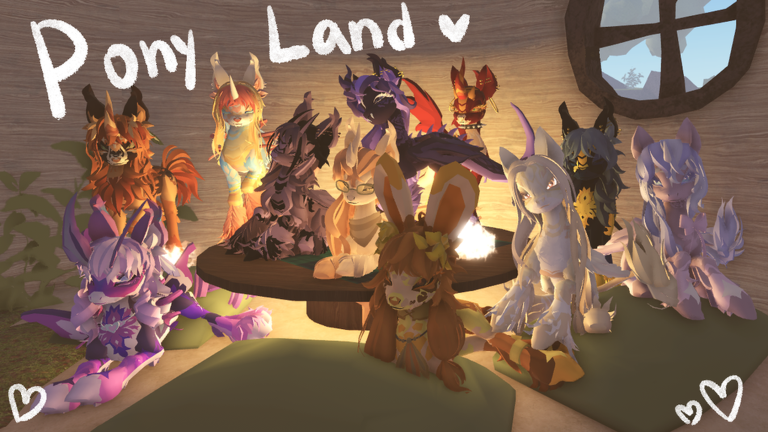
Dyeing is how Alicorns! Pony Land players push a good pony into a great one. Default colors are fine for the tutorial hour; dyes let you hit exact palettes for RP characters, screenshots, and matching friend groups. This guide covers the dye workflow, material mindset, palette planning, and how to protect your save slots while you experiment.
Pair this page with How to Customize for editor order and Flowers and Resources for the gather loop that feeds recolors.
What dyeing is for
Dye systems exist so cosmetics are not locked to a single factory color. In Pony Land you may recolor manes, tails, accessories, and other dye-eligible pieces depending on what the BETA currently marks as tintable. Always check the item tooltip or dye UI for eligibility before spending rare materials.
Dyeing supports:
- Matching mane and accessory accents.
- Seasonal palette swaps without rebuilding the whole pony.
- Group RP uniforms (same accent hue across friends).
- Fixing contrast problems after a pattern change.
Dyeing is not a substitute for unlocking species content like Alicorn. It is a fashion tool that stays useful from level 1 through the prestige unlock described in Unlock Alicorn.
Before you open the dye UI
- Screenshot your current slot — you need a rollback reference.
- Copy the look to an experimental save if you are about to try a risky palette.
- List the pieces you want to recolor (mane only vs mane + bow + socks).
- Confirm materials — if you are short, run a flower/resource route first.
- Pick a target palette with 1–2 accent colors max for your first pass.
Players who dye straight on their only good save often regret a muddy result. Use the three-per-species slot system as a safety net.
Step-by-step dye workflow
1. Select the item
Open the dye interface from inventory or the customize-adjacent menu the BETA provides. Select a single item first. Learning how one bow reacts teaches more than batch-recoloring five pieces you cannot undo mentally.
2. Preview before commit
If the UI offers a preview, rotate the camera around the pony. Check daylight and shaded areas. Pastels that look perfect in a bright plaza can vanish at dusk.
3. Apply, then evaluate contrast
Commit the dye and step back to medium camera distance. Ask:
- Does the face still read?
- Does the mane separate from the coat?
- Do accessories still pop, or did everything become one blob?
If contrast fails, adjust either the dyed piece or a neighboring undyed region — changing both at once makes diagnosis harder.
4. Save deliberately
Write the result to the correct slot. Keep the pre-dye look in another slot until you are sure. Then gather more materials for the next piece in the set.
Materials and the resource loop
Dyes and related crafting consume gatherables. Flowers are a headline resource in Pony Land and often sit on the path that feeds recolors and rare cosmetics. When you run dry:
- Leave the salon and walk a gather route.
- Prioritize nodes that match the recipe or dye you need.
- Craft intermediates if the BETA requires refined pigments.
- Return only when you can finish a coherent palette, not one random item.
Full gather strategy lives in Flowers and Resources. Treat dye sessions and gather sessions as partners, not rivals.
Palette planning tips
Start with a hero color
Choose one hero hue (rose, mint, gold, midnight blue). Build accents that support it instead of fighting it. A second accent is optional; a third is usually noise.
Mind species silhouettes
- Unicorn — horn can catch highlight colors; metallic dyes look great in moderation.
- Pegasus — wing membranes or feathers may take color differently than the coat; preview carefully.
- Earth pony — coat and mane carry identity; dyes on patterns matter more.
- Alicorn — both horn and wings compete for accent attention; keep one surface quieter.
Match dye finish to pattern intensity
Busy patterns prefer simpler dye choices. Clean coats can handle bolder accents. If you just stacked a loud pattern in customize, dye with restraint.
Coordinate with friends offline
Agree on a shared accent hex-like description (“soft lilac, not neon purple”) before everyone spends materials. Screenshot references beat vague chat adjectives.
Common dye mistakes
- Recoloring every accessory to the exact same hex so depth disappears.
- Ignoring clipping: a brighter dye can make mane-through-wing bugs more obvious.
- Spending rare pigments on a temporary experiment stored in slot 1.
- Forgetting to gather first and abandoning a half-finished palette.
- Copying a screenshot palette that used lighting tricks you cannot reproduce in-game.
Session template (efficient 25 minutes)
- Inventory check for dye mats (2 minutes).
- Gather shortfall via flowers/resources (8–10 minutes).
- Dye one hero piece and preview (5 minutes).
- Dye one supporting accessory (5 minutes).
- Emote test + save (3 minutes).
Repeat tomorrow instead of forcing a full-body repaint in one sitting. Incremental dyeing produces cleaner results and teaches you how each item family reacts.
How dyeing connects to the rest of the wiki
- Learn editor order in How to Customize.
- Feed materials through Flowers and Resources.
- Return to Getting Started if menus still feel unfamiliar.
- After Alicorn unlock, rebuild accents with horn and wing surfaces in mind via Unlock Alicorn.
- Watch Updates if dye recipes or UI labels change in BETA.
Dyeing rewards patience. Protect your best save, gather enough materials for a full accent set, and let each recolor earn its place on the pony you actually want to RP as.
Frequently Asked Questions
Quick answers to the most common questions.
Can every item be dyed in Alicorns Pony Land?
No. Only pieces the BETA marks as dye-eligible will accept recolors. Check the dye UI or item details before spending materials.
What should I do if I dislike a dye result?
Load a backup save slot if you kept one, or gather materials and try a higher-contrast accent. Avoid experimenting only on your daily driver slot.
Why do I run out of dye materials so fast?
Full palette swaps are expensive. Dye one hero piece per session and restock through the flowers and resources loop.
Should I dye before or after picking patterns?
Lock a readable pattern family first, then dye accents. Loud patterns plus loud dyes often muddy the silhouette.
Does Alicorn change dyeing?
The dye tools stay relevant, but horn and wing surfaces add new places for accents to clash. Preview carefully after unlock.