How to Redeem Alicorns Pony Land Codes
Locate the Codes UI, practice safe hygiene, and ignore unverified social lists.
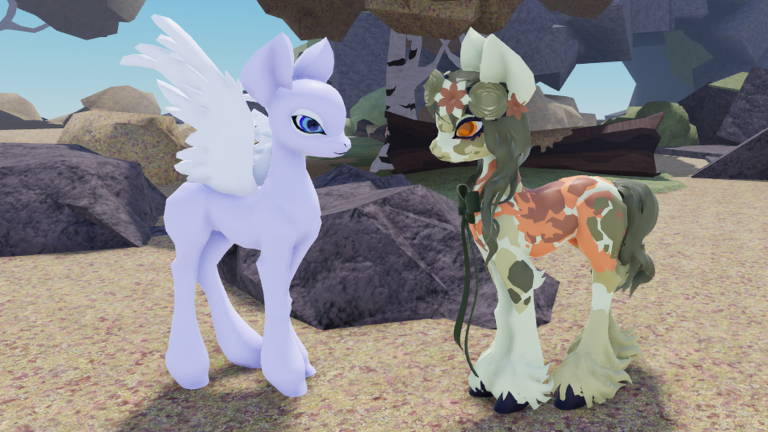
This page teaches how to redeem codes in Alicorns! Pony Land [BETA] on Roblox without inventing promo strings. As of November 2026, there are still no widely confirmed active codes for this Faded Horizons experience. That honesty matters: a clean how-to is more useful than a fake table. Bookmark the Codes Hub for status, then use this guide so you are ready the moment a real drop lands.
Why a redeem guide exists when codes are quiet
Young Roblox BETAs often ship the Codes UI before the first public gift wave. Players who already know where the button lives waste less time when a Discord shout or group post finally publishes a string. Meanwhile, social media fills with recycled codes from unrelated pony games, expired event leftovers, and phishing “generators.” Learning the real flow protects your account and your expectations.
Spend quiet weeks on Getting Started, fashion systems, and Updates patch notes. Codes are a bonus layer, not a substitute for leveling toward Alicorn or finishing a pony look.
How to find the Codes UI in-game
Exact button labels can shift during BETA, but the search pattern is consistent across Roblox cosmetics experiences:
- Launch Alicorns Pony Land from the official Roblox game page (never a mirrored place).
- Wait until your pony and HUD fully load. Streaming assets can delay menu buttons.
- Open the main experience menu / sidebar and scan for labels such as Codes, Redeem, Gifts, Promo, or a gift-box icon.
- If nothing appears, check Settings, Shop-adjacent panels, and any onboarding tutorial tabs that remain after first join.
- On mobile, expand collapsed hamburger or “…” menus—Codes entries are often tucked under a secondary row.
- Once found, leave the panel open long enough to remember the path. Screenshot it for yourself if the UI is dense.
If a patch rearranges menus, re-hunt using the same checklist after reading Updates. Do not assume a missing button means the feature was deleted; BETA layouts move.
Step-by-step redemption when a real code exists
When the Codes Hub or an official Faded Horizons channel publishes a verified string:
- Copy the code carefully, or type it slowly. Prefer copy-paste from a trusted page over blurry TikTok screenshots.
- Open the in-game Codes / Redeem field only—never a third-party website form.
- Paste or type the string exactly. Many Roblox codes are case-sensitive and reject extra spaces.
- Confirm / Submit once. Wait for the success or error toast before retrying.
- Check inventory, mail, currency counters, or cosmetic unlocks for the reward.
- If the UI offers a history or “already redeemed” state, note it so you do not spam retries.
Successful redemption should never require your Roblox password, email code, or browser login outside Roblox. Anything that does is phishing.
Redemption hygiene checklist
Use this every time—even when you are excited:
- Source check: Did Faded Horizons, the official game description, or this wiki’s verified list publish it?
- Game check: Are you inside Alicorns Pony Land, not a lookalike pony place?
- Account check: Are you on the Roblox account that should own the reward?
- Spelling check: No O/0 mix-ups, no trailing punctuation from chat apps.
- Pressure check: Is someone rushing you to “verify ownership” on an external site? Stop.
- Reward check: Does the claimed gift match a current event, or is the post months old?
Hygiene also means not sharing live codes in shady executor Discords. Public promos do not need “VIP redeem bots.”
Why social media codes fail so often
When a TikTok, YouTube short, or random list fails, the cause is usually one of these:
| Failure mode | What happened |
|---|---|
| Fake / recycled | String belongs to another Roblox game or was invented for clicks |
| Expired | Real once, dead after the event window |
| Already redeemed | One-time per account; retries look like “broken codes” |
| Mistyped | Case, spacing, or OCR errors from screenshots |
| Wrong place | Redeemed in a different pony experience |
| Region / eligibility | Rare, but some promos gate by platform or group membership |
| UI not ready | Typed into chat instead of the Codes field |
Treat unverified social posts as leads, not truth. Confirm on the Codes Hub or official channels before spending energy.
What to do while waiting for promos
Quiet code seasons are normal. Productive alternatives:
- Finish onboarding with Getting Started so inventory and species basics are solid.
- Build fashion depth via the Guides Hub—customize, dye, flowers, and Alicorn planning still matter more than free crates.
- Watch Updates for patch notes that mention gifts, shops, or event currencies.
- Keep the Links Hub bookmarked for the official Roblox game and Faded Horizons community pages.
- Practice finding the Codes UI once per major UI patch so muscle memory stays fresh.
If you mainly logged in for freebies, reframe the BETA: Alicorns Pony Land is a dress-up and RP sandbox. Codes, when they arrive, accelerate cosmetics—they do not replace the loop.
Security red flags (walk away immediately)
- Sites titled “Alicorns Pony Land code generator” that ask you to log in.
- “Paste your cookie / .ROBLOSECURITY to redeem faster.”
- Paid Google Docs selling “private active codes.”
- Discord DMs from strangers offering free Robux plus a Pony Land code bundle.
- Executable downloads bundled with a text file of codes.
Real promos redeem in the live experience. Full status and policy live on the Codes Hub. Script-related scams are covered under Scripts as warnings only—this wiki does not publish loadstrings.
How this wiki will handle the first verified drop
When a code is confirmed:
- The Codes Hub gains an Active codes table with the string, known rewards, and date notes.
- This how-to page stays focused on UI and hygiene (it will not become a duplicate dump of every string).
- Expired codes move out of Active so social screenshots cannot mislead forever.
- If a BETA patch breaks redemption temporarily, we say so instead of inventing workarounds.
Until that day, the correct public status remains: no widely confirmed active codes as of November 2026.
Related pages
- Codes Hub — live status and honesty policy.
- Updates — patch context that may mention gifts.
- Getting Started — first-hour checklist while you wait.
- Links Hub — official Roblox destinations.
- Guides Hub — customize, dye, flowers, Alicorn progression.
Learn the Codes UI once, refuse phishing forever, and keep playing the real game. When Faded Horizons finally ships a promo, you will redeem it in seconds instead of falling for a fake list.
Frequently Asked Questions
Quick answers to the most common questions.
Are there active Alicorns Pony Land codes in November 2026?
No widely confirmed active promo codes are verified for the BETA as of November 2026. Check the Codes Hub when official drops appear.
Where is the Codes button?
Open the in-game menu after your pony loads and look for Codes, Redeem, Gifts, or a gift icon. Labels can move during BETA patches.
Why did a TikTok code fail?
It was likely fake, expired, mistyped, already redeemed, or meant for another game. Only trust verified lists and official channels.
Can I redeem codes on a website?
No. Use the in-game redeem field only. Sites that ask for your Roblox password or cookie are phishing.
What should I do while there are no codes?
Play the core loops: Getting Started, Guides Hub systems, and Updates watching. Codes are optional freebies, not required progression.